Backend Engineering
FastAPI Async - The Performance Trick Most Developers Misunderstand
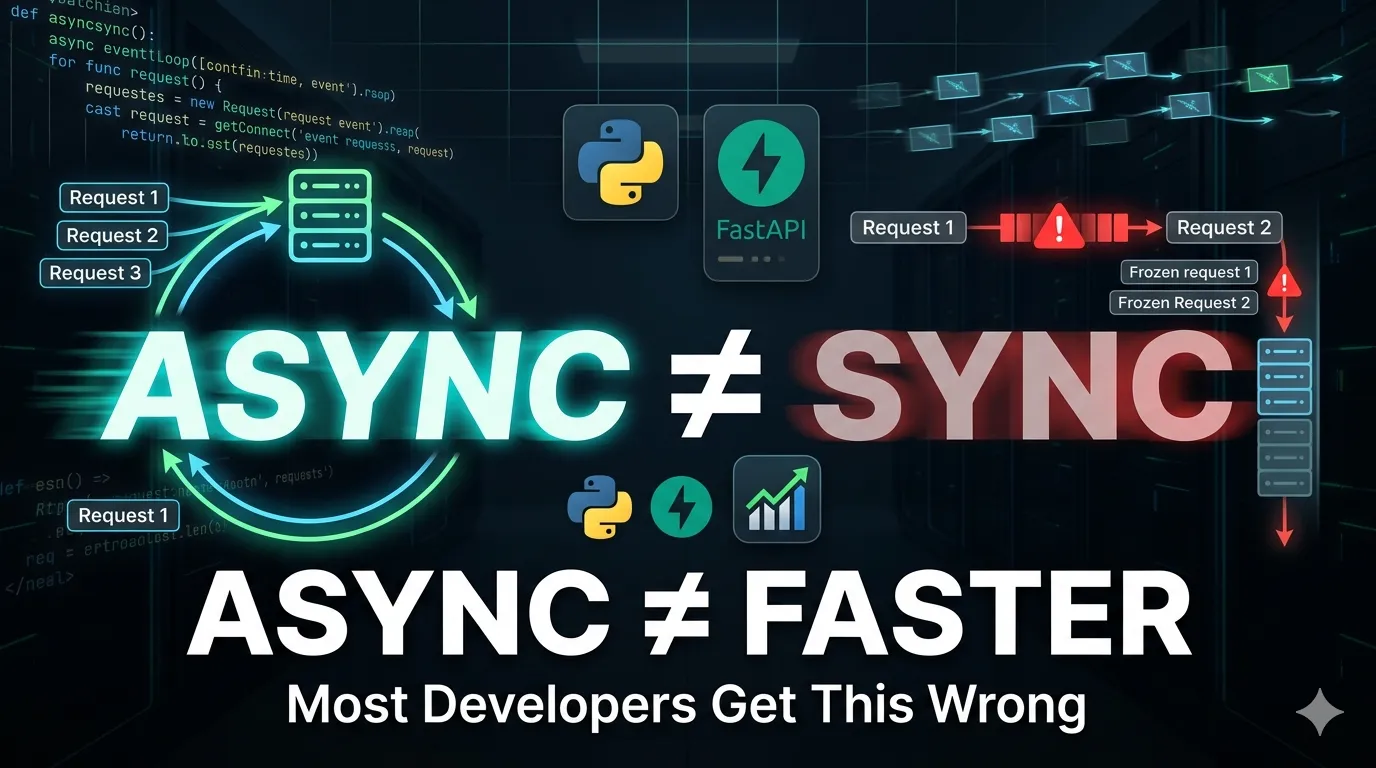
Many developers believe FastAPI is faster simply because it uses async, but that is only partially true. This guide explains how async actually works inside FastAPI, why it improves concurrency for I/O-bound workloads, when it does not improve performance, and the common mistakes developers make when using async in production APIs.
Table of Contents
- Introduction — The Async Myth
- What Happens in a Normal Synchronous Route
- How Async Changes Everything
- Real-World Test: Database + External API Bottleneck
- When Async Hurts Performance or Does Nothing
- When Async Actually Helps (Real Production Use Cases)
- Real Production Example: Mixed System (ML Inference + Listing API)
1. Introduction — The Async Myth
FastAPI Async: The Performance Trick Most Developers Misunderstand
If you’ve spent even a little time exploring modern Python backend development, you’ve probably heard this claim:
FastAPI is faster because it uses async.
It sounds reasonable. And technically… it’s incomplete.
A lot of developers walk away thinking that adding async somehow makes Python execute code faster.
It does not.
Your CPU does not suddenly become faster because you added one keyword.
Your code does not magically become optimized.
So why does FastAPI often handle more requests than traditional synchronous applications?
The answer is not speed.
It is efficiency while waiting.
That difference is everything.
In this guide, we’ll break this down step by step with code examples and real outputs so you can clearly understand:
- What
asyncactually does - Why it improves FastAPI performance
- When async helps
- When async does absolutely nothing
- Common mistakes developers make in production
By the end, you’ll understand why async is one of the most misunderstood performance concepts in Python backend engineering.
2. What Happens in a Normal Synchronous Route
A Simple Synchronous FastAPI Route
Let’s start with a normal route that blocks for 5 seconds before returning a response.
from fastapi import FastAPI
import time

app = FastAPI()

@app.get("/")
def home():
    time.sleep(5)
    return {"message": "Done"}
At first glance, this looks harmless.
The route simply waits 5 seconds and returns a response.
If we run the server:
uvicorn main:app --reloadAnd visit:
http://127.0.0.1:8000/We wait 5 seconds and receive:
{
  "message": "Done"
}
Simple enough.
But here’s what’s actually happening behind the scenes.
When a request arrives, FastAPI assigns it to a worker.
That worker starts executing your function:
time.sleep(5)This tells Python:
Stop everything in this worker and do absolutely nothing for 5 seconds.
The worker is now blocked.
It cannot process another request.
It cannot do useful work.
It is just sitting there, waiting.
Imagine 3 Users Hit Your API
Suppose three users send requests at almost the same time.
Here’s what happens:
Request 1 → Worker busy (sleeping)
Request 2 → Waiting
Request 3 → Waiting
The first request blocks the worker for 5 seconds.
The next requests must wait their turn.
This creates a bottleneck.
Your server is not “slow” because computation is expensive.
It is slow because your worker is wasting time doing nothing.
That wasted waiting time is exactly what async solves.
And that’s where FastAPI becomes powerful.
3. How Async Changes Everything
The Async Version
Now let’s rewrite the same route using async.
from fastapi import FastAPI
import asyncio

app = FastAPI()

@app.get("/")
async def home():
    await asyncio.sleep(5)
    return {"message": "Done"}
At first glance, it looks almost identical.
The only visible differences are:
async defand
awaitIt’s easy to assume these just make the code “faster.”
They don’t.
Something much more interesting is happening.
What await Actually Means
When Python sees this:
await asyncio.sleep(5)it does not block the worker.
Instead, it tells FastAPI:
This task is waiting. You can pause it and work on something else.
That’s the entire trick.
The request is temporarily paused.
The server is now free to handle other incoming requests.
Later, when the waiting is finished, FastAPI resumes exactly where it paused.
That means the server stays productive instead of sitting idle.
What Happens with 3 Requests Now?
Suppose three users hit the API at nearly the same time.
Instead of blocking, FastAPI schedules them like this:
Request 1 → waiting
Request 2 → waiting
Request 3 → waiting
While one request is waiting, the server immediately starts another.
No worker is wasted.
No unnecessary blocking happens.
All requests progress together.
After about 5 seconds, all three complete around the same time.
That’s why async improves throughput.
Not because your code runs faster.
But because your server stops wasting time.
This Is Called Cooperative Scheduling
FastAPI uses Python’s event loop to manage this.
The event loop works like a smart traffic controller:
- If a task is ready → run it
- If a task is waiting → pause it
- Move to the next ready task
This constant switching happens extremely fast.
From the outside, it looks like many requests run simultaneously.
But internally, FastAPI is just switching intelligently between paused tasks.
That is the real performance advantage of async.
4. . Real-World Test: Database + External API Bottleneck
Why sleep() is Not a Real Benchmark
time.sleep() is useful to understand blocking. But it does not represent real backend workloads.
In production systems, the delay usually comes from:
- Database queries
- External API calls
- File/network I/O
These are where async actually matters.
So let’s simulate a real scenario.
Scenario: API Depends on a Database Call
Imagine a simple endpoint:
Fetch user profile from database
We simulate a database delay using a blocking operation.
Synchronous Version (Blocking DB Call)
from fastapi import FastAPI
import time

app = FastAPI()

def fake_db_query():
    time.sleep(2)  # simulate DB latency
    return {"user": "bibek"}

@app.get("/user")
def get_user():
    user = fake_db_query()
    return user
What happens here?
When a request hits /user:
- Server enters
get_user() - It calls
fake_db_query() - That function blocks for 2 seconds
- Worker is completely stuck
If 3 users hit at once:
Request 1 → DB wait (2s)
Request 2 → blocked
Request 3 → blocked
Total time grows linearly.
This is exactly how real blocking DB drivers behave.
Async Version (Non-blocking I/O)
Now let’s convert it properly.
from fastapi import FastAPI
import asyncio

app = FastAPI()

async def fake_db_query():
    await asyncio.sleep(2)  # simulate async DB driver behavior
    return {"user": "bibek"}

@app.get("/user")
async def get_user():
    user = await fake_db_query()
    return user
What changes here?
Instead of blocking:
wait → worker stuck → nothing else runsNow FastAPI does this:
Request 1 → waiting (DB)
Request 2 → uses worker
Request 3 → uses worker
While Request 1 is waiting for DB:
- The event loop is free
- It immediately handles other requests
- CPU stays productive
Real Outcome
With multiple concurrent requests:
Sync system:
- Requests processed one by one
- DB wait stacks up
- Throughput collapses under load
Async system:
- Requests overlap during I/O wait
- Worker stays free during DB latency
- Higher concurrency with same resources
Key Insight (Most Important Part)
Async does NOT make the database faster.
What it improves is:
The ability to handle other requests while waiting for the database.
That is the real performance gain.
Important Production Note
This only works if your DB driver is async.
Examples:
- PostgreSQL →
asyncpg - MySQL →
aiomysql - HTTP calls →
httpx.AsyncClient
If you use blocking drivers inside async routes:
psycopg2.connect() # blocking inside asyncYou lose all benefits.
That is one of the most common production mistakes.
5. When Async Hurts Performance or Does Nothing
Common Misconceptions About Async
Most confusion around async in backend systems comes from mixing up three things:
- API concurrency (FastAPI / server behavior)
- I/O operations (DB, network, file)
- Database correctness (transactions, locks)
Let’s clear the most common incorrect assumptions first.
Misconception 1: “If 1000 requests come in, async makes all of them finish in 5 seconds”
Assume this scenario:
- 1000 users hit an endpoint
- Each request performs a DB/API call that takes ~5 seconds
Incorrect expectation:
“All 1000 requests will complete in 5 seconds because async runs them together.”
Reality:
It depends on system capacity:
- number of workers
- DB connection pool size
- external API rate limits
- CPU availability
Async does NOT create infinite parallel execution.
It only allows waiting tasks to not block a worker.
So what actually happens:
Requests → queued + scheduled
DB/API → processed in limited concurrency batches
Total completion time → > 5 seconds (usually much higher)
If DB allows 50 concurrent queries:
- only ~50 requests actively progress at once
- others wait in queue
So result is batched concurrency, not instant completion.
Misconception 2: “Async makes database writes parallel and faster”
This is incorrect.
Database writes are controlled by:
- transaction locks
- isolation levels
- write serialization rules
Even with async:
- two writes to same row cannot safely happen in parallel
- DB will serialize or lock them
So async does NOT improve write throughput.
It only improves server-side waiting efficiency.
Misconception 3: “Async removes blocking completely”
Wrong.
Async only removes Python thread blocking, not I/O waiting.
If you do this in async code:
requests.get("https://api.example.com")This is still blocking.
It will freeze the event loop.
Correct version:
await httpx.get("https://api.example.com")If you mix blocking I/O inside async routes:
- you destroy concurrency benefits
- performance becomes worse than sync in some cases
Misconception 4: “Async automatically improves performance”
Not always.
Async can hurt performance when:
1. CPU-bound workloads
Examples:
- image processing
- ML inference
- large JSON processing
Problem:
- event loop gets blocked
- no task switching benefit
Result:
async = overhead, not improvement
2. Small simple APIs (low traffic)
If requests are:
- fast (<10ms)
- CPU-light
- low concurrency
Then async adds:
- complexity
- debugging difficulty
- no real gain
Sync may perform equally or better.
3. Blocking libraries inside async code
Common production mistake:
psycopg2inside async routerequestslibrary inside async route- slow ORM calls without async support
Effect:
- event loop stalls
- all concurrency advantage is lost
Misconception 5: “Async makes everything parallel”
No.
Async is not parallel execution.
It is:
cooperative multitasking on a single thread
Parallelism requires:
- multiple processes
- multiple threads
- multiple machines
Async only improves how efficiently one worker handles waiting.
Key Production Insight
Async improves:
- throughput under I/O wait
- resource utilization
- concurrency handling
Async does NOT improve:
- database speed
- CPU performance
- algorithm complexity
- correctness or consistency
Keep in Mind
If 1000 requests come in and each depends on a 5s I/O operation:
-
Async does NOT mean all finish in 5 seconds
-
It means:
- server handles waiting efficiently
- requests are processed in overlapping batches
- total completion time depends on system limits
Got it?
Async reduces idle time — it does not remove work, speed up I/O, or bypass system limits.
6. When Async Actually Helps (Real Production Use Cases)
Now that misconceptions are clear, the real question is:
When does async actually provide measurable benefit?
Not in toy examples. In real backend systems.
Async helps only in a specific class of workloads:
I/O-bound systems with high concurrency and idle waiting time
Let’s break down real cases.
1. High-Concurrency API Aggregation (External API Calls)
Example:
GET /dashboardThis endpoint calls:
- user service API
- payment service API
- analytics API
- notification API
Each call takes ~300–800ms.
Sync model:
Call 1 → wait → Call 2 → wait → Call 3 → wait
Total latency = sum of all waits
Slow.
Async model:
Call 1 → start
Call 2 → start
Call 3 → start
wait concurrently
Now:
total latency ≈ slowest call, not sum
This is one of the few cases where async gives direct latency improvement.
2. WebSockets / Real-Time Systems
Example:
- chat apps
- live notifications
- trading dashboards
- collaborative tools
Each connection is:
- idle most of the time
- waiting for events
Why async matters:
If you use sync model:
- each connection consumes a thread
- 10,000 users = 10,000 threads → not scalable
Async model:
- one event loop can manage thousands of idle connections
- no thread explosion
This is where async is structurally required.
3. Long-Polling / Streaming APIs
Example:
- file upload streaming
- AI token streaming
- log streaming endpoints
Behavior:
- connection stays open
- data arrives in chunks over time
Async enables:
- non-blocking stream handling
- continuous response without holding worker
Without async:
- workers are wasted sitting idle
4. Database-Heavy Read APIs (High Concurrency)
Important nuance: Async does NOT speed up DB queries.
But it helps when:
- many users hit read-heavy endpoints
- DB responses are fast but numerous
Example:
- product listing page
- feed generation
- search APIs
Benefit:
- server doesn’t block while waiting on DB response
- higher request throughput per worker
5. Fan-Out / Parallel I/O Coordination
This is where async becomes powerful in backend design.
Example:
Request → call 5 services → combine responseWith async:
- all 5 calls run concurrently
- merge results after all complete
Without async:
- sequential waiting
- higher latency
This pattern is common in:
- API gateways
- BFF (Backend-for-Frontend)
- microservice aggregation layers
Where Async Gives NO Real Benefit
Important contrast:
1. CPU-heavy workloads
- ML inference
- image processing
- encryption
- data transformation
Async does nothing here.
2. Low traffic APIs
- simple CRUD
- internal tools
- admin panels
Sync is often simpler and equally fast.
3. Poorly designed blocking code
- blocking DB drivers
- requests library inside async
- sync ORM inside async routes
Async gets completely neutralized.
Final Engineering Insight
Async is not a performance upgrade by default.
It is a concurrency model optimized for waiting-heavy systems.
7. Real Production Example: Mixed System (ML Inference + Listing API)
Let’s stop theory and look at a realistic backend architecture.
Imagine a system with two APIs:
1. Product Listing API (DB-heavy, high traffic)
2. ML Inference API (CPU/GPU heavy workload)
Both exist in the same FastAPI service.
System Architecture
Client
  ↓
FastAPI
  ├── /products → PostgreSQL (I/O bound)
  └── /predict  → ML model inference (CPU/GPU bound)
These two endpoints behave very differently.
1. Product Listing API (Use Async)
Why async?
Because this endpoint is:
- DB-bound (waiting on I/O)
- high concurrency (many users)
- low CPU work
Async implementation
from fastapi import FastAPI
import asyncpg

app = FastAPI()

@app.get("/products")
async def list_products():
    conn = await asyncpg.connect("postgresql://user:pass@localhost/db")

    rows = await conn.fetch("SELECT * FROM products LIMIT 100")

    await conn.close()

    return {"data": rows}
What happens here
When DB is slow:
- request is paused at
await conn.fetch() - worker is NOT blocked
- other requests continue processing
So:
One worker can serve thousands of listing requests efficiently
2. ML Inference API (Use Sync)
Now consider ML inference:
- loads model into memory
- runs matrix operations
- uses CPU/GPU heavily
Sync implementation (important)
from fastapi import FastAPI
import time

app = FastAPI()

def run_model(x):
    time.sleep(3)  # simulate heavy inference
    return {"prediction": x * 2}

@app.post("/predict")
def predict(input: dict):
    result = run_model(input["value"])
    return result
Why NOT async here?
If we write:
async def predict():
    run_model()
It still blocks the event loop because:
- CPU work does NOT yield control
- async cannot interrupt computation
So async gives zero benefit here
Worse:
- adds unnecessary complexity
- may reduce performance due to event loop contention
Scaling model for ML inference in production systems do NOT rely on FastAPI threads alone.
They scale using:
(A) Multiple worker processes
uvicorn app:app --workers 4(B) Horizontal scaling
deploy multiple instances of the service
Load Balancer
   ↓
Instance 1 (GPU/CPU)
Instance 2 (GPU/CPU)
Instance 3 (GPU/CPU)
(C) GPU batching
For deep learning models: multiple requests are grouped into a batch and single GPU forward pass processes many inputs